
Characters are sounds
If you hear a character slowly enough to count its dots and dashes, your brain has time to translate a visual recipe. That works at very low speed and then becomes a barrier. The better goal is instant recognition: hear the whole rhythm and know the character, just as you recognise a short word in speech.
Use fast characters from the start
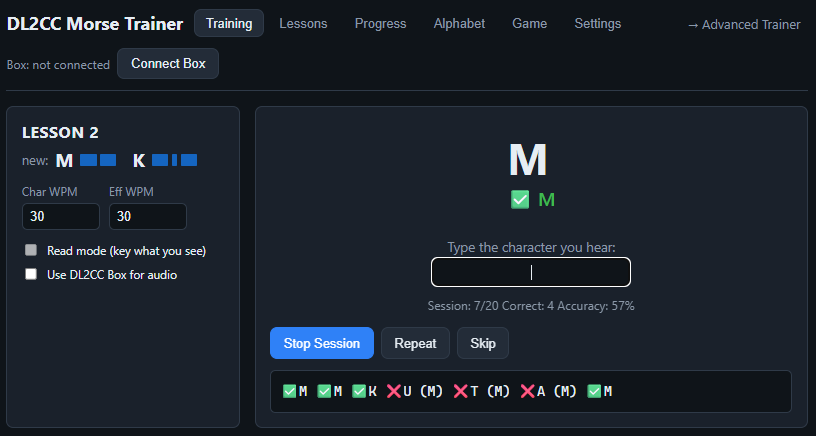
Set the character speed near the speed at which you eventually want to copy. There is no single beginner speed. Some even recommend starting at 30 WPM—a real contest-style speed—so your ear becomes familiar with the finished sound from the beginning. Farnsworth spacing can keep the overall exercise slow enough to recognise and answer each character. Learning that sound early makes the later transition to operating on the air easier.
Farnsworth creates thinking room
Farnsworth timing keeps each character at full speed but lengthens the spaces between characters and words. For example, the character itself can run at 20 WPM while the effective text speed is 8 or 10 WPM. You hear the correct sound and still have time to write or type the answer.
Add one character at a time
The Koch method starts with a very small set. Once you copy that set reliably, the trainer adds another character and gives weak characters more airtime. You are always copying real CW by ear, but the problem remains small enough to solve.
A routine that works
- Practise for 10–15 focused minutes rather than one exhausting hour.
- Type or write the character you heard; do not stare at a Morse chart during the exercise.
- Let the trainer repeat weak characters instead of restarting every imperfect session.
- When recognition becomes comfortable, increase Farnsworth speed before increasing character speed.
- Mix in sending with a paddle once the first characters are stable. Receiving and sending reinforce the same rhythm.
Start in your browser
The free OpenShack Web Morse Trainer includes Koch lessons, profiles, progress per character and the alphabet. It works with keyboard and browser audio; a connected OpenShack Box can add paddle input and Box audio in a supported desktop browser.