
OpenShack Box + CW Suite · Windows
Train CW.
With your own paddle.
Hear a callsign. Send it cleanly. See what needs work. The OpenShack Box and CW Suite for Windows bring receiving practice, sending analysis and CW games to your desk.
€149 incl. VAT, plus shipping. Paddle and USB data cable are not included.
Already have a Box? CW license for €49 →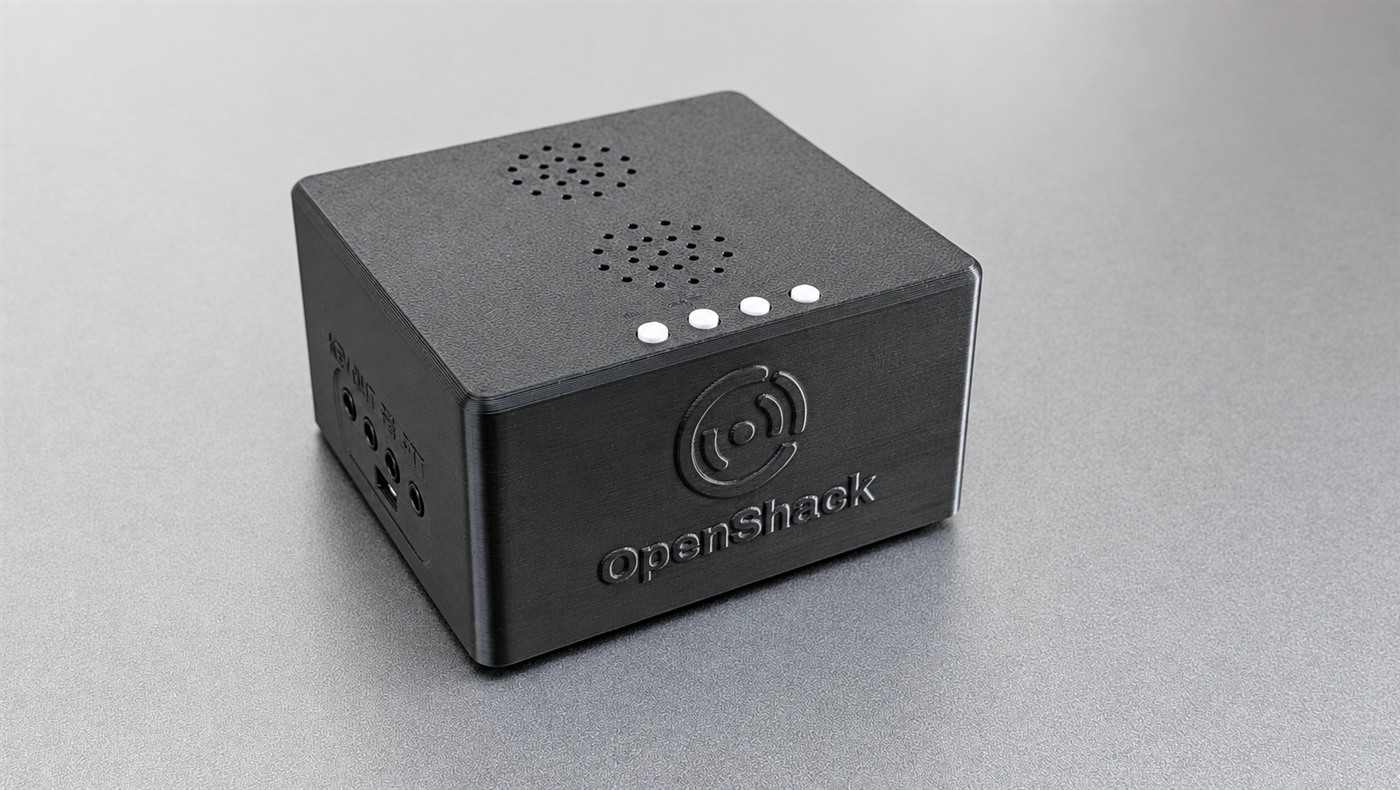
Hear it.
Then send it cleanly.
Practise with the key you use on the air. The Box captures your sending; the Suite shows which characters and gaps are right and where you can improve.
Copy with confidence
From your first character to fast callsigns and pileups.
Answer with your paddle
Your own paddle or straight key, with immediate sidetone from the Box.
Know what to practise next
Mistakes, timing and personal bests guide the next session.
The tools in your Suite.
One desktop workspace for learning, receiving, sending and reviewing — plus keyer, Winkey Proxy and DX Cluster for operating at your radio. And DX Arena, the QSO & contest trainer, is free for everyone in the Windows app.
Morse lessons & Advanced Trainer
Learn characters by sound. Practise groups, words, callsigns and your own text. Review progress and difficult characters.
RufzXP & RufzXP TX
Copy callsigns at changing speeds or send them back with your paddle. Review mistakes after the run.
CW Summit & Balloon Burst
Build speed and accuracy, vary your practice and improve your personal bests.
PileUp & RX practice
Pick callsigns out of overlapping signals. Train listening and copying with practice and test texts.
TX analysis & Paddle Analyzer
Inspect your characters and spacing. Compare paddle contacts with the elements the keyer actually sends.
MorseChat & AI Chat
Chat in CW with other operators or work with the AI practice partner. Live chat needs an Internet connection.
Decoders & CW tools
Decode audio and your own keying. Generate CW audio and practice text, and use the keyboard simulator.
Also in your Suite
All functions in the manual →- Keyer & voice keyer CW memories, direct text sending and a voice keyer for your station.
- Winkey Proxy Use Winkey and the TX Decoder at the same time: your logger keys through the Box while OpenShack shows what you send.
- DX Cluster Live DX spots with band and mode filters.
- TX Trainer Timed sending practice, scored against reference texts.
- Listening quiz Multiple-choice CW listening questions, including your own question files.
- Personal bests Top scores across training modes and games.
DX Arena
QSO & contest trainer
Work your first CW QSO, enjoy a longer ragchew, run a pile-up or practise contest exchanges. Simulated stations answer what you send, ask for repeats and correct mistakes.
Use your paddle, function keys or typed CW, with ESM, macros and a live rate meter.
QSO practice
Contests
CWops and FOC contests with real member data.
DX Arena comes as a free part of the CW Suite in OpenShack for Windows, no license key needed. With a CW Suite license the short note about the Box and the Suite goes away and you get all the other trainers too.
Train for the next contest → Read the manual →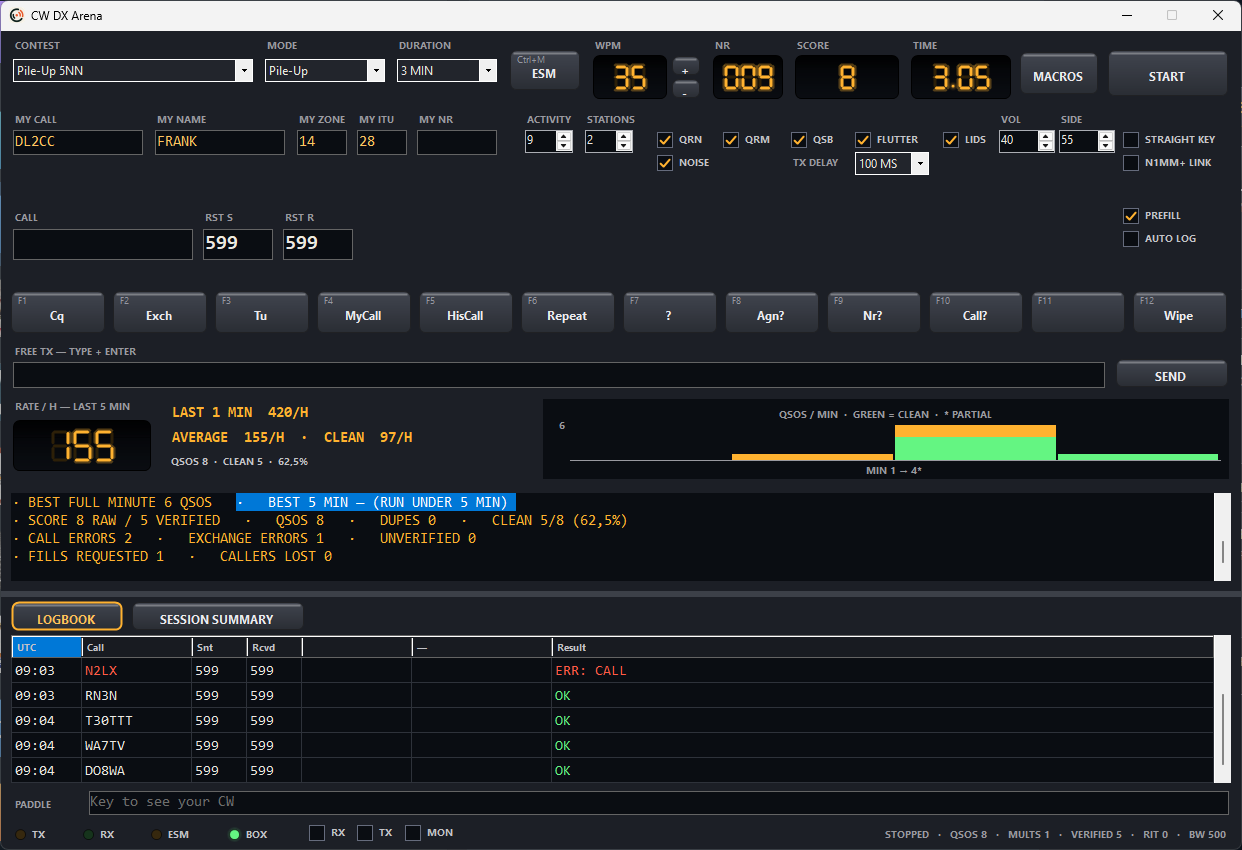
After practice:
keep it on your desk.
The Box is also a standalone CW keyer with sidetone, memories and WinKey-compatible control. One device for practice and everyday operating.
Explore the BoxWhat you get.
- One OpenShack Box.
- A perpetual CW Suite license for Windows.
- Requires Windows 10 or 11 and 8 GB RAM.
- Bring your own paddle or straight key and USB data cable.
- Mobile apps and Remote licenses are purchased separately.
Choose how you practise.
Box + Suite for your Windows practice desk. Apps for your phone. Free tools to start straight in the browser.
CW apps
Five apps on Google Play and the App Store. Your purchase supports the project.
Explore the appscw.openshack.com
Seven tools for lessons, practice, games and chat. No installation.
Start freeYour paddle.
Your next CW goal.
Receive, send and improve with the Box and CW Suite.