
Leave TX Decoder open
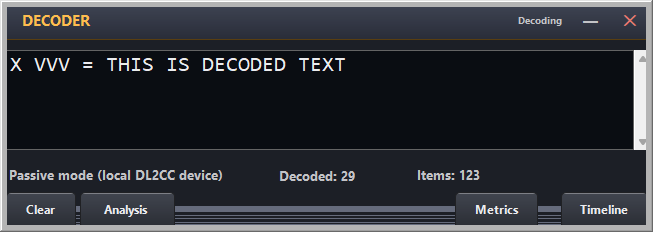
The best time to discover that your S often becomes H—or that your word spaces disappear—is not after twenty QSOs. Open the TX Decoder when you start operating and leave it visible near the logger. It follows your paddle, decodes the characters and keeps the timing trace available without changing how you make the QSO.
Glance, do not stare
Your attention belongs on the station you are working. After a transmission—or whenever something did not feel right—look at the decoded line. If it matches what you intended, carry on. If the same thing happens again, you’ll know what to look for and maybe slow down a little first.
Pause accuracy is part of readable CW
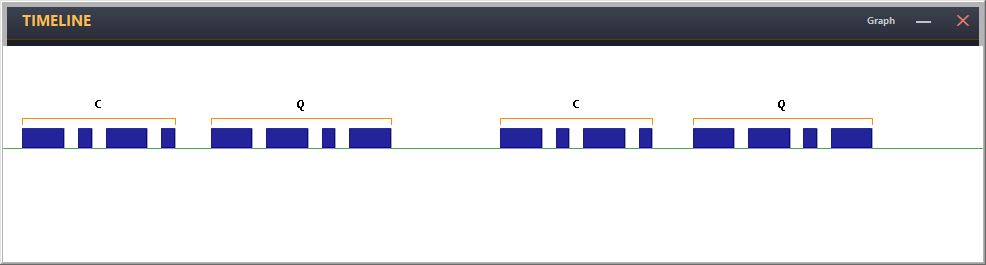
Good dits and dahs can still produce difficult CW when the spacing is wrong. A character gap that is too short joins letters; a word gap that is too short turns a phrase into a stream; an accidental long gap makes the other OP wonder whether you have finished.
Use the metrics and graph to check three layers: spacing inside the character, the pause between characters and the pause between words. Work on one layer at a time. In practice, pause accuracy often improves readability more quickly than another two WPM.
Review patterns, not single mistakes
Everyone clips a character occasionally. A useful diagnosis is something that repeats: an extra element after a squeeze, a consistently short inter-character gap, long dahs when you become tense, or words running together. Note the pattern and make it the subject of the next short training session.
Take persistent faults off the air
When a problem keeps coming back, use a one-minute TX run or the Paddle Analyzer away from the QSO. The controlled reference text tells you whether the adjustment helped. Then return to normal operating and glance at the TX Decoder again. That loop—operate, notice, isolate, retest—is how a good fist keeps getting better.
For conversational practice without getting on the air, OpenShack CW Chat provides another place to use real CW with other OPs or an AI practice partner.