
Leave only the wake-up path alive
A remote shack does not have to leave the transceiver, amplifier, interfaces and Windows host running around the clock. In several stations we helped build, none of that equipment draws power while the station is not in use. Only the independent path needed to wake it—the networked smart plug and the network infrastructure serving it—remains available.
We recommend Shelly smart plugs for this type of setup. Current models connect directly to Wi-Fi and provide app, web and integration options. Whichever device you choose must be independently reachable and correctly rated for the load it switches.
First, wake the host PC
Use one smart plug only for the host PC. In the PC's BIOS or UEFI, enable the setting usually called Power on after AC loss, Restore on AC Power Loss or similar. When you switch on the plug remotely, mains power returns and the PC starts automatically.
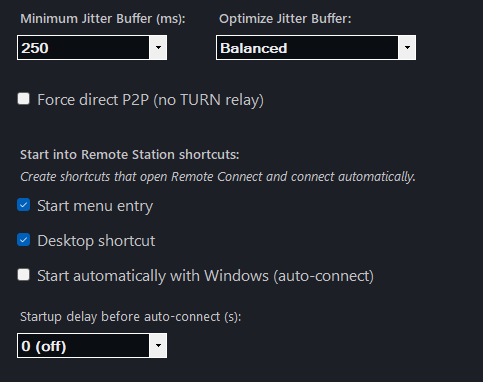
Windows then signs in to the dedicated station account and starts OpenShack. Enable Start automatically with Windows (auto-connect) in OpenShack; for unattended recovery, configure Windows automatic sign-in as described in the manual. Test the complete cold-start sequence locally before relying on it remotely.
Then let OpenShack wake the station
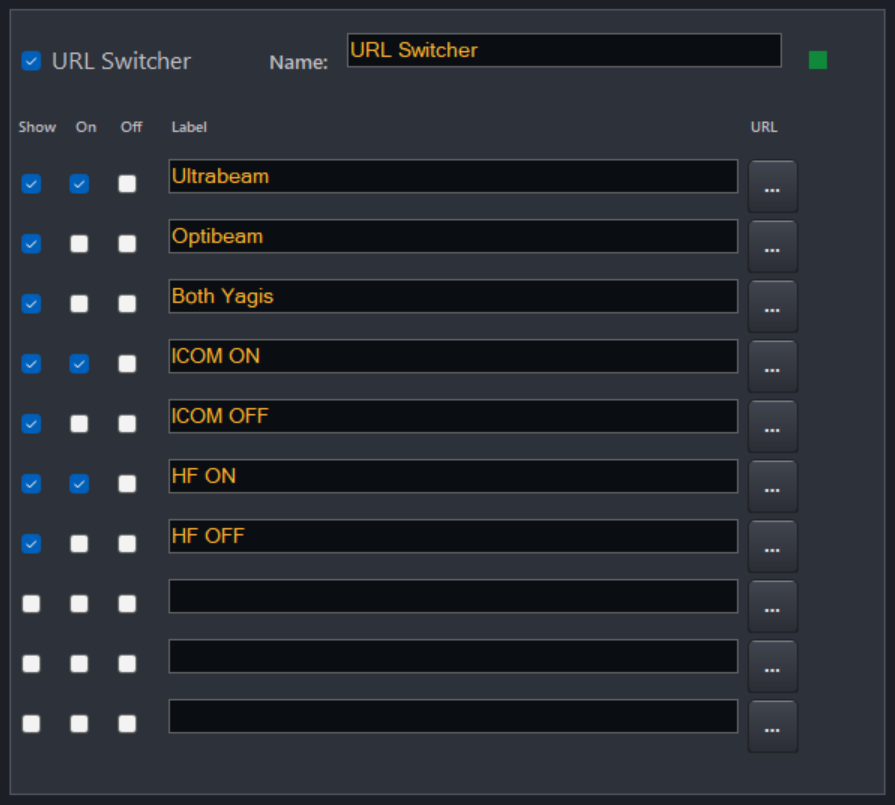
When OpenShack starts automatically, its URL Switcher fires the configured On actions before the remote connection opens. Those URLs can switch on the radio supply, station interface, antenna controller or other network-controlled equipment. Set a startup delay so power supplies, USB interfaces and radios have time to boot before OpenShack connects to them.
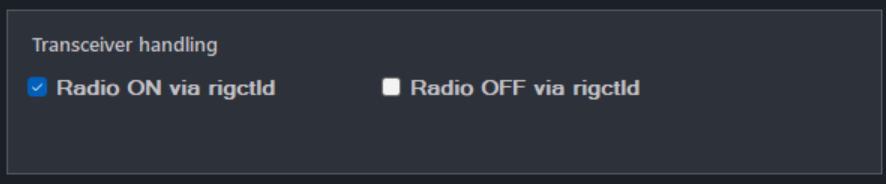
If your radio and Hamlib backend support power-state commands, Radio ON via rigctld can handle the transceiver itself. Equipment that you want to control manually appears as clearly labelled buttons on the client. The whole station remains only a few mouse clicks away inside OpenShack.
A typical two-plug arrangement
- Plug 1 — host PC: switched through the smart-plug app or cloud. Applying power starts the PC.
- Plug 2 — station equipment: controlled from OpenShack through URL Switcher after the host has started.
- OpenShack: starts with Windows, fires the equipment's On actions, waits for the configured startup delay and then auto-connects.
- Radio: starts with its power supply or through rigctld, depending on the radio.
Shut down in the right order
Power-off matters just as much as power-on. OpenShack can run URL Switcher Off actions when the session ends, switch off a supported radio through rigctld, and shut the host PC down from the client. An inactivity timer can also shut down an unattended host after no client has been connected for the chosen period.
Never cut power to a running Windows PC. Let OpenShack perform a normal Windows shutdown first. If the PC's smart plug should also turn off, use an externally controlled or delayed cut-off only after Windows has finished shutting down. The manual includes a Shelly delayed-off example for this purpose.
What this gives you
Between sessions, the radio equipment and host PC can be genuinely off rather than idling for days. When you want to get on the air, switch on the PC plug, give the station time to boot and connect. OpenShack takes care of the configured sequence and puts the controls in front of you.