OpenShack Manual
OpenShack combines remote operation, Learning Morse Code, and Morse Code Training in one application. Morse Code Training also includes Master tools and game-based practice, alongside Morse Chat, an AI practice partner, and integration with the OpenShack Box.
Voice and digital modes work the same way: footswitch and PTT are integrated, as are paddle or straight-key input and key output for your transceiver.
Remote operation does not require manual router setup. No port forwarding and usually no extra firewall rules. Enter the same passphrase on both sides and start.
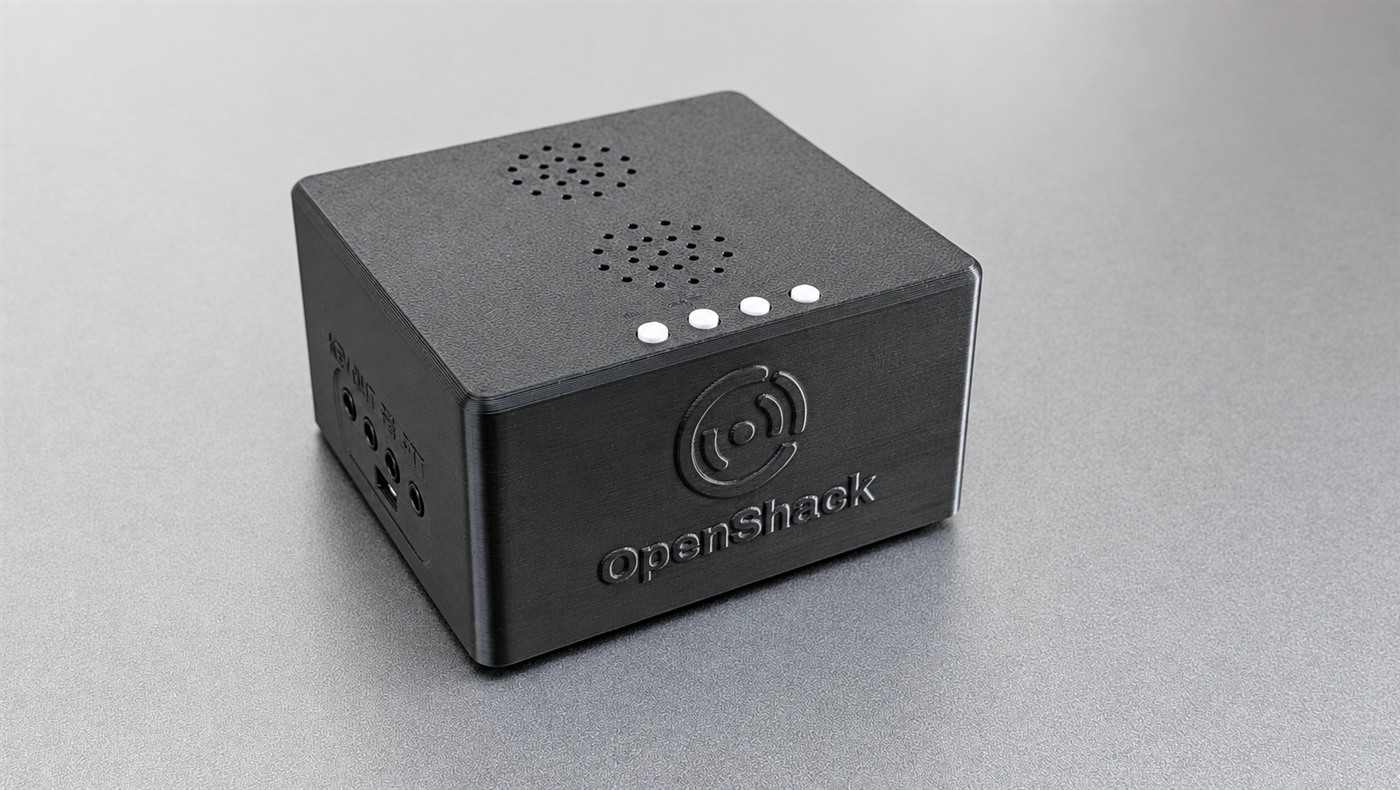
The OpenShack Box
The OpenShack Box is also a standalone keyer with paddle input, hardware sidetone, CW keying output, PTT, and audio connectivity. It can be used on its own or as part of a remote operating setup with OpenShack.
About the OpenShack Box →Where do you want to start?
First Time Here?
Install OpenShack, connect your hardware, and complete your first session.
Getting Started →Learning Morse Code
Koch-method lessons for learning Morse code one character at a time, at full speed.
Morse Trainer →Remote Operation
Set up host and client for remote station access with remote audio and timing-preserving CW/PTT.
Remote Station →Operating at the Radio
Standalone tools for your own shack: TX Decoder with a logger connection via Winkey, Keyer, Audio Decoder, and DX Cluster.
Standalone Operating →Morse Code Training
Training modes, Master tools, and game-based practice for building speed and accuracy.
Master →DX Arena
First CW QSOs, working DX and running a contest pile-up. Paddle, ESM, macros and realistic band conditions.
Learn to QSO and contest →Chat with Operators & AI
Real CW timing over the internet, or practice with the built-in AI partner.
Morse Chat →Function Overview
OpenShack combines remote operation, Learning Morse Code, Morse Code Training, and supporting tools in one application.
| Module | What It Does | HW Required |
|---|---|---|
| Remote Station | Remote audio, CAT and CW/PTT over the internet | OpenShack Box (host) |
| Rig Control / CAT | CAT proxy, rigctld tunnel, and Hamlib integration | CAT interface or rigctld |
| Virtual COM Ports | Expose remote CAT control to logger software | Bundled com0com virtual COM ports |
| OpenShack Remote Control | Remote front panel for frequency, mode, split, and PTT | rigctld on host |
| TRX Emulator | Kenwood TS-2000 compatible CAT endpoint for loggers | rigctld on host |
| CW Keying & PTT | Paddle, straight key, bug, and footswitch over the protected remote connection | OpenShack Box |
| CW Keyer & DVK | F-key CW memories plus Digital Voice Keyer | OpenShack Box |
| Command Receiver | N1MM+ command receiver for voice slots and macros | Optional |
| Winkey Proxy | Let your Winkey logger key through the OpenShack Box while OpenShack stays connected | OpenShack Box |
| Audio Decoder | Software CW decoder from local or remote audio | No |
| Local Audio Monitor | Hear sent/received audio on a separate device while a digital mode uses a virtual audio cable | No |
| Waterfall | Remote spectrum display with click-to-QSY | Compatible transceiver (currently Icom, Kenwood, FlexRadio and Elecraft K4) |
| DX Cluster | Telnet DX spot client with QSY integration | No |
| WaveLog Gateway | Local HTTP gateway for live rig data and QSY commands | No |
| Antenna Rotator | Remote rotator display and click-to-turn control | Rotor controller |
| Aux Devices | Remote status for amplifiers, tuners, antenna controllers, and HTTP-relay URL switchers | Supported device |
| CW Link | Unified remote CW keying — box or Flex, host or client, direct or relay (includes Flex Keyer and Box-2-Box) | Remote license |
| Box-2-Box | Direct CW and PTT relay between two OpenShack Boxes — no PC in the keying path | Two OpenShack Boxes + Remote license |
| Morse Trainer | Koch-method structured learning with scoring | Optional (Box for TX practice) |
| Advanced Trainer | Full-charset skill building with WordFile, Groups, and Callsigns modes | Optional (Box for keying/audio) |
| Balloon Burst | Game-style character recognition with paddle input | OpenShack Box |
| CW Summit | Timed WPM speed-climbing game with paddle or keyboard input, PB line and ghost run | Optional (Box for paddle/audio) |
| AI Chat | Conversational CW QSO with OpenAI GPT | Optional (Box for keyer input) |
| Live Morse Chat | Real CW timing exchange with other online operators | Optional (Box for keyer) |
| Morse Chat Web Client | Browser access to lobby, rooms, text, and CW playback | No |
| PileUp Trainer | Realistic contest pileup simulation | No |
| RufzXP TX / Classic | Callsign copy speed trainer with adaptive WPM | Box (TX mode) / No (Classic) |
| TX Trainer | Timed transmission scoring with reference texts | OpenShack Box |
| Text Generator | Random reference texts with PDF export | No |
| Quality RX | Scored CW transcription in Newcomer and Competition modes | Optional OpenShack Box |
| RX Groups | HST receiving test: five-character groups at HST speeds, scored by the championship rules | Optional OpenShack Box |
| Listening Quiz | Multiple-choice CW listening quiz from CSV question files | No |
| Personal Best | Top scores across Master and training modes | No |
| Licensed Competition Mode | Licensed multi-competitor events with scoreboard | Optional |
| TX Decoder | Real-time keying analysis with timing metrics | OpenShack Box |
| Winkey Proxy + TX Decoder | Use Winkey and the TX Decoder at the same time: your logger keys through the Box while the decoder runs | OpenShack Box |
| Keyboard Simulator | Forward decoded CW as keystrokes to any app | OpenShack Box |
| CW Audio Generator | Text-to-Morse audio playback | No |
| Flex Keyer | Key a FlexRadio over the network with the OpenShack Box (SmartSDR API) — a CW Link mode | OpenShack Box + FlexRadio |
| K4 Keyer | Key an Elecraft K4 over the network with the OpenShack Box (K4 network remote) — a CW Link mode | OpenShack Box + Elecraft K4 |
| OpenShack Box Settings | Full OpenShack Box device configuration | OpenShack Box |
| Window Positions | Automatic per-monitor window layout persistence | No |
Learn more about the hardware →